Multithreading with agents: how to de-risk single-threaded deals before they stall
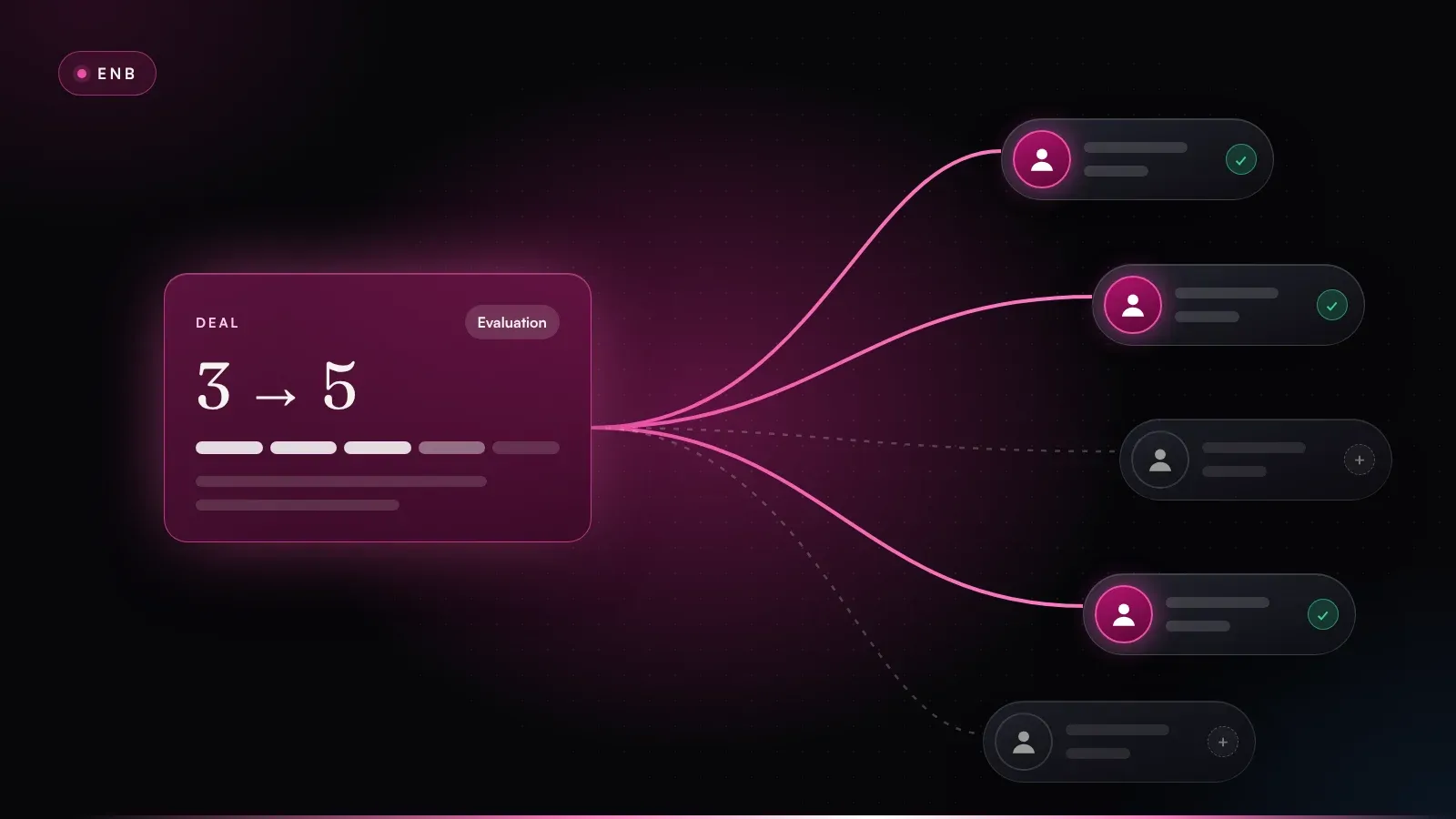
The champion is sold and the proposal is out. Then they change jobs, or the CFO asks questions nobody prepared for. Multithreading in sales is the well-known fix, but in practice it often fails on the effort involved. Agents can take over much of that groundwork: they map stakeholders in open deals, surface risk early and prepare material for every role. Sales stays in charge of the relationship.
 ByMario Maier
Published 14 min read
Contents
- Why single-threaded deals die quietly
- What is multithreading in sales?
- How do you spot single-threaded risk?
- How multithreading with agents works, step by step
- Example: one deal, one contact, four weeks to close
- What agents do and what sales decides
- What you need: data, rules and a knowledge base
- Which metrics show that multithreading is working?
- Common mistakes with multithreading in sales
- Your first 30 days
Why single-threaded deals die quietly
Multithreading in sales means building several relationships into the buying committee so that a deal doesn't hang on one person. Sounds obvious. Still, open your CRM and count how many open opportunities have exactly one contact attached (usually the person who booked the first call).
Those deals look healthy for a long time, because the champion replies fast and the stage keeps moving in the CRM. Then something happens that the AE never sees: the champion gets promoted, leaves the company or loses an internal budget fight. Finance starts asking about the business case, IT wants a security review, and nobody from your side is in the room. Deals like this rarely blow up. They go quiet, slip into next quarter and eventually show up in the report as “no decision”.
Every sales leader knows the pattern, and almost every team has at some point resolved to “multithread more”. Not much changes afterward, and it's rarely because AEs don't want to. What's missing is the groundwork: who's on the buying committee in the first place? What does the CFO care about in this particular deal? Which document do you send the head of IT without it reading like a mass email? That groundwork takes hours per deal, and nobody has those hours in the last weeks of a quarter.
So I put agents on it, working as a team in the background. For every open opportunity they map the stakeholders, flag risk early and prepare material for each role. No agent emails your customers on its own; what goes out is sales' decision. Further down you'll find a worked example, the rules behind it, the metrics I'd watch and a plan for your first 30 days.
A deal with one contact is really a deal with an entire committee, and you only know one of its members.
What is multithreading in sales?
Multithreading means building relationships with several people on the buying committee in parallel. Each of them needs their own message, their own material and their own reason to talk to you. The opposite is a single-threaded deal, where every piece of information and every internal push runs through one person.
The distinction that matters is contacts versus coverage. Five people from the same team are five contacts but one perspective. Multithreading worth the name covers the roles that decide the purchase. Gartner describes typical B2B buying decisions as involving six to ten people. The exact number varies with deal size and industry; what I care about is that every role asks different questions and needs different proof.
The roles and what they ask
| Role | Typical question | Proof that lands |
|---|---|---|
| Champion | How do I get this through internally? | A forwardable business case, answers to objections |
| Economic buyer | Is this worth it – and why now? | ROI case, a reference from a comparable company |
| Business unit & users | Will this make our day-to-day easier? | Demo on their own use case, onboarding plan |
| IT & security | Is it secure and does it integrate? | Security overview, integrations, operating model |
| Procurement & legal | Are contract and risk acceptable? | Standard terms, DPA, transparent pricing logic |
| Potential blocker | What do I lose if this happens? | An honest answer to the specific objection |
This role model isn't textbook material you show once at the sales kickoff and then forget. It belongs in its own module of the knowledge base that every agent works from, with the typical pains and objections for each role and the proof it needs. How agents research an account's buying committee before the first conversation is covered in buying center research with agents. This article is about the step after that, the open deal.
How do you spot single-threaded risk?
Not every deal with few contacts is in danger. A small deal with a short cycle can close fine with a single decision maker. It gets dangerous when high deal value and an advanced stage meet thin coverage. These are the warning signs I look for:
- Only one active contact, even though the deal is already in evaluation or negotiation.
- Nobody with budget authority involved, even as the close date draws nearer.
Every email and meeting runs through the same person; nobody else has ever replied.
- The champion has changed roles internally or left the company.
- A new leader in the relevant function who doesn't know the deal and brings their own priorities.
- Long silence: three or four weeks without activity, and nobody has noticed.
These signals add up to a simple prioritization. One axis is role coverage, the other is how much is at stake, meaning deal value and how close it is to closing.
Prioritize deals by role coverage and by how much is at stake.
Start with the deals in the top left, where a lot of value sits on very little coverage and every hour of groundwork pays off. For the bottom right, keeping coverage where it is will do. The Pipeline Reporting Agent can refresh this view every week for all open opportunities and adds a reason to each deal, so nobody has to puzzle over a bare score.
How multithreading with agents works, step by step
The process is the same for every open deal. It starts with a trigger (a new opportunity, a stage change, a stall or a signal from the account) and ends with a proposal the AE accepts, edits or rejects.
- 01Read the dealCRM, emails, account news
- 02Map stakeholdersKnown, missing, unclear
- 03Assess riskWith reasoning
- 04Prep per roleDraft, proof, question, touchpoint
- GOSales gives the goSend, edit or reject
Agents read, map, assess and prepare. Sales decides what goes out.
1. Read the deal
The agent reads the opportunity in the CRM: stage, value, close date, linked contacts, emails, meeting notes and activity. Then it looks at the account itself, because a lot can change between two conversations: new leaders, job postings, press releases, a reorganization. The Signal Agent handles this research within a defined scope, and anything it's only guessing at gets labeled as a hypothesis.
2. Map the stakeholders
Deal and account turn into a stakeholder map: which roles are engaged, which are typically missing at this stage, and who could fill a missing role? The agent only suggests specific people when there's public evidence, such as the company website, a press release or LinkedIn. Where nothing reliable exists, the brief contains an open question the AE can ask the champion. The Outreach Routing Agent checks whether the person is already in the CRM and keeps role, region and contact data up to date.
3. Assess the risk
The Pipeline Reporting Agent classifies the deal by coverage, activity and timing. What comes out is a sentence anyone can check, for example: “Nobody with budget authority engaged, close date in four weeks, last reply 23 days ago.” You can argue with a reason, and you can improve it. A “risk: 72” without an explanation stops getting attention from sales by week two, and frankly I don't blame them.
4. Prepare material and touchpoints per role
For every missing or weakly covered role, the Angle & Content Agent prepares an opening: a short message in the AE's name, the right document from your library and a question that starts the conversation. The Product Truth Agent checks that every statement about features, pricing or integrations matches the current product documentation. On top of that, the Paid Media Agent can propose adding the role to an air-cover audience. Then the CFO has already seen your name before the first email arrives.
5. Sales decides
Everything lands with the AE as a proposal, depending on the setup in the CRM, in the hub or as a note in the team chat. They send the draft as is, edit it or reject it with a short reason. That reason goes into the decision memory, and the next proposal gets better.
Agents shorten the groundwork, not the relationship. When in doubt, the AE still writes the message to the CFO. They just don't start from a blank page anymore.
Example: one deal, one contact, four weeks to close
Say a logistics software vendor sells to mid-sized freight forwarders. A deal for an annual license sits in the “evaluation” stage, with the close date four weeks out. The CRM shows a single contact: the head of dispatch, who requested the demo and loves the product. Company, people and details are entirely fictional.
On Monday morning the AE finds this deal brief in the CRM:
Stage: evaluation · close date in 28 days · 1 active contact
Risk: high – nobody with budget authority engaged,
      last reply 16 days ago

ROLE MAP
✓ Champion        Head of dispatch – active, attended demo
✗ Economic buyer  Finance director – named on website,
                  not in CRM
✗ IT              Head of IT – name unclear → ask champion
? Users           Dispatch team leads – probably 3–4 people
✗ Procurement     unclear at what amount procurement gets involved

WHAT CHANGED IN THE ACCOUNT
· Job ad “Digital transformation project lead” live for 10 days
· New depot announced in press release (hypothesis: more volume)

PROPOSALS – WAITING FOR YOUR GO
1. Ask the champion: “Who signs this off in the end – and what
   does that person need from us?”
2. Draft to finance director: references the new depot,
   one-page business case attached
3. IT pack: security overview, integrations with TMS and ERP
4. Add finance director to air-cover audience
   “Open deals · evaluation” (budget unchanged)
NOT RECOMMENDED: emailing team leads directly now –
align with the champion first
The AE reads the brief in five minutes. On the next call they ask the champion the question from proposal 1 and learn two things: the finance director has to sign off on deals of this size anyway, and IT wants its own review. So the AE doesn't send the draft to the finance director directly. They ask the champion for an intro and still use the one-pager. The IT pack goes out after the AE's go, and the head of marketing approves the audience change.
Two weeks later the deal has three active contacts. Whether it closes still comes down to the conversations, and no agent takes that off the AE's plate. But it no longer hangs on a single person, and finance's questions don't land as a surprise in the final week.
The most valuable item in the brief, by the way, was the question for the champion. Good multithreading often runs through the champion, not around them.
What agents do and what sales decides
I always draw the line in the same place: anything with external effect needs a human go, so messages, campaigns and budgets never run automatically. Routines without external effect, such as a CRM note, can run on a rule that has been approved once. In RevPrime® this is defined as a permission ladder: L0 read, L1 propose, L2 write after go, L3 approved rule.
| Task | Who does it | Level | Who decides |
|---|---|---|---|
| Read CRM, emails and notes | Pipeline Reporting Agent | L0 | – |
| Assess and explain deal risk | Pipeline Reporting Agent | L1 | Sales leadership in the weekly |
| File the deal brief as a CRM note | Pipeline Reporting Agent | L3 | Rule, approved once |
| Create a missing contact in the CRM | Outreach Routing Agent | L2 | AE, after go |
| Message to a new role | Angle & Content Agent (draft) | L1 | AE, one by one |
| Add a role to an air-cover audience | Paid Media Agent | L2 | Head of marketing, after go |
| Check claims in the material | Product Truth Agent | L1 | Product or marketing |
Every change goes into the change log, with before and after, reason, approval and timestamp. If you later want to know why a contact is in the CRM or why an audience grew, you look it up there. How levels are assigned per tool is explained on the page about security and governance for marketing agents.
One point I take especially seriously: drafts go out in the AE's name, so the AE has to read them before sending. A draft that sounds templated does more damage in a live deal than no message at all. Voice and forbidden claims therefore live in the knowledge base, and the QA & Brand Guard Agent checks every draft before it reaches the AE.
Marketing supports the deal, sales leads it. Flip that, and you'll lose sales' trust faster than any agent can win it back.
What you need: data, rules and a knowledge base
Agents amplify whatever is already there. If the role model is fuzzy or the material is stale, you just get fuzzy proposals faster. So before I talk about agents at all, I look at three things: the deal data, the rules and whether there's a well-maintained knowledge base that every agent works from.
- Buying committeeRoles, objections, proof
- Product truthClaims, docs, case studies
- Message anglesMessage per segment
- Playbooks & rulesThresholds, coverage per stage
- Brand & legalVoice, forbidden claims
- Decision memoryEvery go and no, with a reason
Every deal brief reads from the same knowledge base modules – that's what keeps proposals consistent.
Data
From the CRM you need opportunities with accurate stage, value and close date, linked contacts with their role in the deal, and activity from email and calendar. The role field is the underrated part. Without it, nobody can see which role is missing from a deal, agents included. Salesforce has opportunity contact roles for this, and in HubSpot you can model it with associations. That only helps if someone keeps the field up to date, though, which in my experience is the tedious part.
Rules
Which roles does a deal need to cover by which stage? Above what value does a one-contact deal count as at risk? How many days of silence are normal in your cycle? There's no formula for these thresholds; they're decisions. Set them once, document them in the playbooks and refine them in the weekly.
Material
Each role needs at least one piece of proof that works: a one-page business case for finance, a security overview for IT, a reference from a comparable company, an implementation plan for the business unit. If something is missing, that's the first gap the agents expose. It's often the biggest lever in the whole effort, too.
- Each contact's role in the deal is maintained in the CRM
- Buying committee model with four to six roles, their questions and their proof
- Minimum coverage per stage defined, e.g. economic buyer from evaluation onwards
- Risk thresholds set: deal value, days without activity, distance to close
- At least one current asset per role
- Approved claims, voice and no-gos documented
- Cleared with data protection: which sources, which legal basis, which retention periods
Don't skip that last item. The agents work inside your systems and only with the sources you define. Settle with your data protection officer up front which research on business contacts is permissible.
Which metrics show that multithreading is working?
I don't much care how many briefs the agents produce. What I want to know is whether your deals are better covered and whether that shows up in results. Five metrics are enough to start:
- Multithreading rate: share of open deals with at least three active roles, by your own definition, applied the same way to every deal.
- Role coverage by stage: are the economic buyer and IT involved by evaluation at the latest?
- Time to second stakeholder: how many days after the opportunity is created does a second role engage with you?
- Win rate by coverage: won deals, split into thinly and broadly covered opportunities.
- Go rate: how many proposals does sales accept, edit or reject, and with what reason?
The first three move within weeks. Win rate and cycle length need one to two sales cycles before a cohort comparison tells you anything, and longer if deal counts are small. If you want to roll these effects into a single number, sales velocity as a marketing KPI gives you the formula.
The go rate tells you the most about agent quality. If most drafts get rejected, the role model or the material is usually off, and the reasons behind each no show you where to tighten things up.
Common mistakes with multithreading in sales
- Three people from the business unit don't replace an economic buyer. If you count contacts instead of roles, it's easy to miss who's absent from the deal.
- Emailing your champion's boss without alignment damages the most important relationship in the deal. Asking for an intro is almost always the better route.
- The CFO doesn't want a feature tour, and IT doesn't want an ROI pitch. Without material per role, multithreading is just a mass email with more recipients.
- If you only ask about the economic buyer during negotiation, finance's questions arrive at the worst possible moment.
- Anything that sounds like a sequence costs you trust in a live deal. So drafts only go out with the AE's go, even if sending automatically would be more convenient.
- Without a reason for every no, the agents learn nothing and the proposals stay mediocre.
Your first 30 days
You don't need a big project to find out whether this works for you. One month on your largest open deals is enough for a solid first read.
- Week 1Role modelRoles, questions, proof
- Week 2Data & materialTop deals, gaps
- Week 3Agents on top dealsL0 read, L1 propose
- Week 4Review & rulesGo rate, first L3 rules
Role model and material first, then agents with read access – write access only after the review.
Week 1: define the role model
Agree with sales which roles a typical deal needs to cover, and by which stage. For each role, write down the three most common questions and the proof that answers them. That's the buying committee module of your knowledge base.
Week 2: check data and material
Take your 10 to 20 largest open deals and note which roles you know. Where there's only one name, the risk is highest. In parallel, collect the existing material per role and list what's missing.
Week 3: agents on the top deals
The agents produce a brief for each of these deals with a role map, risk assessment and proposals. I deliberately start at L0 and L1 here: the agents read and propose but don't write anything to the CRM yet. That way you see the quality before you grant any permissions.
Week 4: review and first rules
Go through the proposals with your AEs. What was useful, what was wrong, what was missing? The answers become your first rules, for example that briefs are filed automatically as CRM notes from now on. Then decide whether to roll out to all open opportunities.
Already have a CRM, material and processes that just don't work together? That's a typical case for repairing your existing marketing system. To see how multithreading fits into the full loop of deal health, air cover and outreach, read about sales enablement with AI agents.
Frequently asked questions
What is multithreading in sales?
Multithreading in sales means building relationships with several people on the buying committee instead of relying on a single contact. Each role, such as the economic buyer, the business unit, IT or procurement, gets its own message and its own proof. That way the deal doesn't collapse when one person leaves or loses an internal argument.
How many contacts should a B2B deal have?
There's no fixed number; it depends on deal size, industry and buying process. For complex deals I work with a rule of thumb of at least three active roles from the evaluation stage onwards. More important than the count is that budget authority, the business unit and IT are covered.
How do I know if a deal is single-threaded?
Typical signs are a single active contact at an advanced stage, nobody with budget authority involved and long stretches without activity. It becomes critical when the champion changes roles or the close date is approaching. A look at the contact roles on your open opportunities in the CRM is usually enough to see it.
Do the agents contact customers on their own?
No. The agents prepare stakeholder maps, drafts, material and touchpoints, but every message with external effect needs the go of the responsible AE. Only routines without external effect, such as a CRM note, run on a rule that was approved once. Every change is recorded in the change log.
Is multithreading with AI agents GDPR-compliant?
That depends on which data you use and on what legal basis. The agents work inside your systems and only with the sources you define, such as CRM data and publicly available company information. Which research on business contacts is permissible and which retention periods apply should be clarified with your data protection officer beforehand.
Do I need a new sales enablement tool for this?
No. The agents work in the tools you already use, such as HubSpot or Salesforce, LinkedIn and your ad accounts. What's usually missing is a clear role model, well-maintained deal data and material for each role, and another platform won't fix any of those.

About the author
Mario Maier
AI-native revenue marketing engineer · founder of igromo
For more than 15 years I've worked at the intersection of marketing, sales and revenue operations, from early-stage setups to scale-ups with multi-stage sales cycles and large buying centers. Since 2019 I've measured my work on pipeline and revenue.
Where do you stand?
The agentic readiness check shows in 3 minutes how ready your marketing is for agents – and which gaps to close first.
Keep reading
All insightsENB13 min read
Sales velocity as a marketing KPI: four levers and how marketing moves them
The sales velocity formula explained: a worked example, the four levers marketing can move and a weekly agent report that turns the number into decisions.
SYS24 min read
AI agents for B2B marketing: the complete guide from first prompt to pipeline
AI agents for B2B marketing that move pipeline: definition, architecture, 8 core agents with workflows, what not to automate, KPIs and a 90-day plan.
SYS12 min read
Your first marketing hire after founder-led sales: who to hire and what to build first
Your first marketing hire after founder-led sales: which profile fits, what to build before the job ad and how to judge the hire after 90 days. With a case.